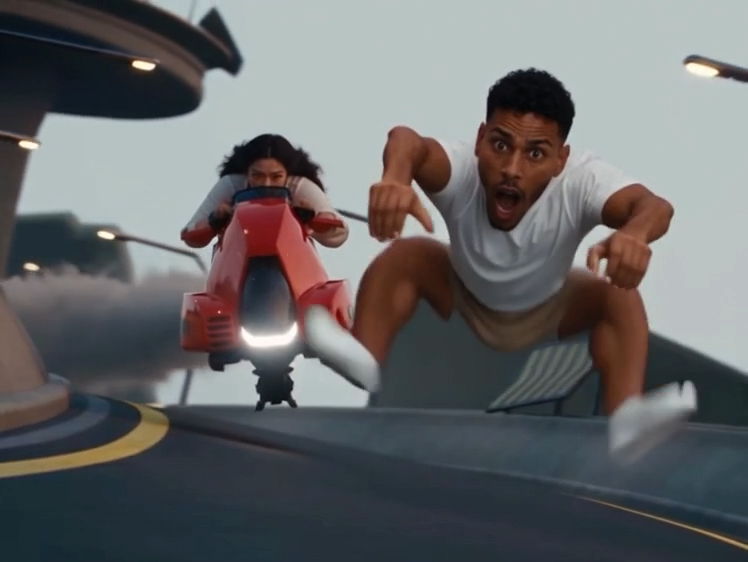
Your photo. Your scene. The Bby Wow dance.
Bby Wow AI: Make the Dime Dime Baby Dance Yours
Put yourself, your pet, or another animal in the Bby Wow dance. Upload one photo, choose an outfit, set the scene, and build your supporting cast for a 9-second video.
Create My Bby Wow Video- Start with one character photo
- Customize the outfit, scene, and supporting cast
- Create a 9-second dance video
9-second video · 16:9 landscape · MP4 · Music not included
~9s
Examples
See the Bby Wow Dance in Action
Explore the template sample and an Instagram trend reference for different takes on the Bby Wow dance. The reference clip is not an output from this template.
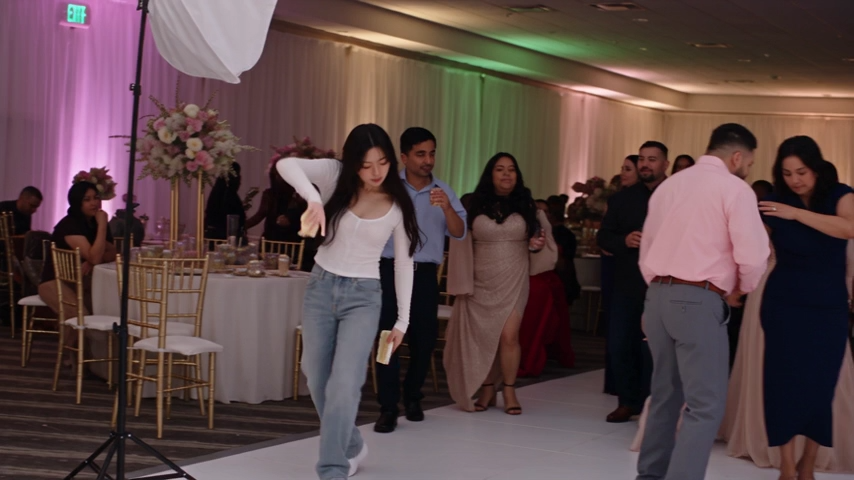
Banquet Dance
A dancer in a white top and jeans performs among guests in a banquet hall. Use your own photo and settings to create a different lead character and setting.
@eve.elcholo
The original video 🥐 that made Eve Ramirez famous
How it works
How to Make Your Bby Wow Video
Upload a photo, customize the cast and setting, then create your dance video.
Upload your character photo
Choose one clear photo of the person, pet, or animal you want as the lead. A well-lit image with visible facial features and body details gives the AI more to work with.
Choose the outfit and supporting cast
Keep the lead character's original outfit or describe a new look in Outfit. Use Supporting Cast to describe the people or animals around the lead, or keep the provided defaults.
Replace the scene
Use Scene to describe where the dance takes place, such as a beach party, a palace ballroom, or a neon-lit street. Add the lighting and atmosphere you want. The template uses your description to recreate the surroundings while following the reference dance.
Generate and download
Create your video, then download the finished 9-second landscape MP4. Review the result and add your preferred music in an editor or social app if you want a soundtrack.
About the trend
About the Bby Wow / Dime Dime Baby Trend
Bby Wow, also searched as Baby Wow or Dime Dime Baby, is a short dance-meme format that creators remake with different lead characters and settings. Its appeal comes from the confident approach, close-up stare, and turn back toward the party. This template adds a cake bite to that sequence and lets you choose the lead, outfit, surroundings, and supporting cast while keeping the reference dance as the basis for the performance.
Frequently asked questions
Bby Wow AI: Frequently Asked Questions
What to upload, what you can customize, and what to expect from your video.
What kind of photo should I upload?
Use a clear, well-lit photo with one main subject. Keep the face unobstructed and include as much of the body and outfit as possible. Avoid blurry images, strong filters, and group photos.
Can I use a pet or another animal?
Yes. You can use a person, pet, or another animal as the lead character. The template aims to adapt the dance to the subject's anatomy, but AI results can vary, especially for unusual body shapes or partially hidden features.
Can I change the outfit, scene, and other characters?
Yes. Use Outfit to keep the original clothing or describe a new look, Scene to describe the surroundings, and Supporting Cast to describe the other characters. These settings guide the result; they do not replace the template's reference dance sequence.
Do I need to upload a dance video or write a full prompt?
No. The template already includes the reference performance. Upload your character photo and use the provided text fields to customize the look and setting, or start with their defaults.
What video will I receive, and how long does it take?
The current template is configured for a 9-second, 16:9 landscape MP4 at 480p. The displayed generation estimate is about 6 minutes; actual processing time can vary.
Does the video include the Bby Wow song?
No. This template is configured without generated audio or an added music track. You can add music separately in your video editor or social app.
Will the character and dance match perfectly?
The template uses your photo for the lead character and a reference video for the dance. AI-generated facial details, anatomy, clothing, and movements may differ from the inputs. A clear photo and concise, consistent settings help guide the result.